3.4 Charging Procedure
3.4.1 Charging
- Charging Method Selection
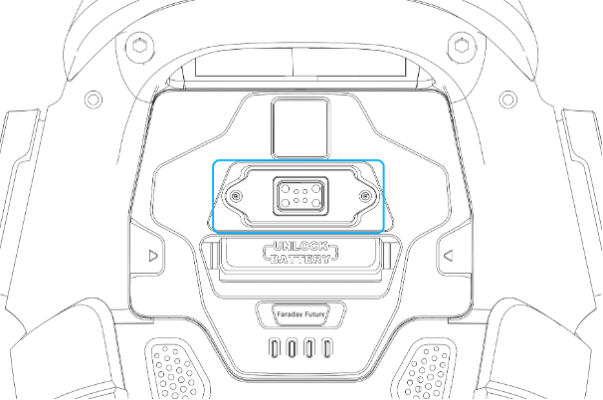
- Method 1: After powering off the robot, directly connect the charger plug to the device charging port.
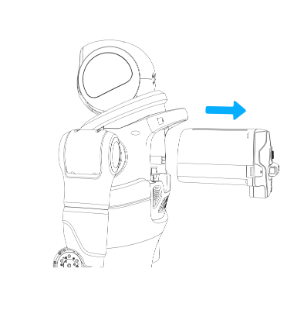
- Method 2: After powering off the robot, remove the battery first, then insert the charger plug into the battery charging port.
- Magnetic Charging Port Operation Notes
- The charging port uses a magnetic design. Bring the charger plug close to the charging port and it will automatically align.
- During charging, make sure the magnetic charging port is fully aligned to avoid poor contact.
Do not charge the robot while it is powered on. During charging, do not use the remote controller or operate the robot in other ways.
3.4.2 Battery Replacement
- Power off: Refer to the shutdown procedure.
- Remove the battery: Pull out the battery handle fixed on the front of the battery pack, insert your fingers into the handle loop, and pull outward to remove the battery.
- Install the battery: Follow the installation procedure described in the startup section.